 Surfaced Studio
After Effects Basics Beginner Tutorial Series
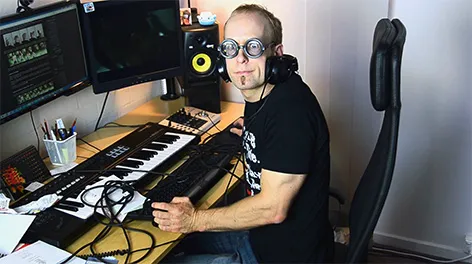
When I first started to learn After Effects, I think I accidentally dove into the deep when I came across the awesome, but rather advanced tutorials on videocopilot.net. It took quite a bit of perseverance to get over the initial learning curve, understand what I was actually doing and use the skills I was picking to create my own VFX.
I think every film maker out there should learn After Effects, but I do realise that it is a complex tool and some people prefer to have a more gentle introduction to the great features it offers. For that reason I started to create a basics series to help everyone who wanted to watch and listen learn After Effects step by step.
So far, this series consists of 8 parts and I do have a few more on my to-do list :)
I highly encourage you to watch these tutorials in the correct order to get the maximum learning effect out of them.
After Effects Basic Beginners Tutorial 1/8 - How To Create Cool VFX
Learn the very basics of After Effects and the workflow you should follow to get your VFX from inception to rendered video.
This tutorial covers the basic workflow and the interface of After Effects. I then show you how to create a simple visual explosion effect from start to finish and export your final composition.
Adobe After Effects Basics Tutorial 2/8 - Compositions And Pre-Composing
This tutorial explains compositions in more detail and explains their different roles within After Effects.
You will learn how to create compositions and how to pre-compose multiple layers to manage them more easily. I will also show you what I consider to be the true power of compositions: creating reusable elements.
Adobe After Effects Basics Tutorial 3/8 - Introduction to Masking
Now that you know the basics of After Effects it’s time to explore the fundamental tools you need to create awesome VFX - and masking is probably the most essential tool of them all.
We will cover how to create masks as well as all their properties like mask mode, feathering, expansion and more. Finally I will show you how to animate your masks during your effect to cut out visual elements in your footage.
Adobe After Effects Basics Tutorial 4/8 - Adjustment Layers
In this tutorial we take it one step further and cover adjustment layers, an essential tool in applying effects to multiple layers in your composition.
I will show you how adjustment layers work and how you can create them in Adobe After Effects. Finally, since you already know about masks I show you the cool things you can do by combining masks with adjustment layers to control where your effects are being applied.
Adobe After Effects Basics Tutorial 5/8 - Track Mattes
Another great tool available in After Effects that, once you get to more advanced effects, you will use a lot of are track mattes. I will show you how to apply track mattes to layers and gain detailed control over the opacity of your layers.
We will cover how exactly track mattes work, how to change their properties and, since you now also know about adjustment layers, I will quickly show you how you can combine mattes and adjustment layers for more complex VFX.
Adobe After Effects Basics Tutorial 6/8 - Parenting
Parenting allows you to attach layers to one another in terms of their position, rotation and scale. While this might not sound immediately useful, it is an essential technique to master to create more advanced effects and deal with scenes that require any form of tracing.
In this tutorial I will show you the theory behind parenting, how to do it in After Effects and why it is an important skill to master.
Adobe After Effects Basics Tutorial 7/8 - Null Objects
Null objects mystify a lot of people because they have a cryptic name and by themselves they do jack all! However, null objects come in handy as markers or to control other layers and effects in your composition and are therefore a fundamental tool that you should understand. In this tutorial I explain what Null Objects are and how to use them for your own Visual Effects!
Adobe After Effects Basics Tutorial 8/8 - 3D
Once you are bored with 2 dimensions in Adobe After Effects you might want to learn a bit about how to create cool 3D effects. Fortunately that is actually pretty simple using the inbuilt features provided. In this tutorial I will show you how easy it is to create 3D layers and position then in your scene, add a camera to define how the elements are being rendered and add some funky lights to illuminate your scene!
As I mentioned, I am still in the process of creating a few more tutorials for this series to cover topics like parenting, null objects and the fundamentals of After Effects expressions. I hope they will prove helpful to you in getting started with this exciting tool and adding some awesome visual effects to your movie projects :)
8 Comments
Dear Tobias,
Working my way from CS6 ext., have superficial experience with 3D, and I'm now doing AE tutorials all over the web. I'm so glad I found your very beautifully designed site! I may have absorbed some vocabulary and basic functions from Adobe and the Lynda.com tutorials, been stupefied by Video Co-pilot, and been totally at sea with some other tutorials. But Tobias, you win! You win, you win! Most articulate, funniest,
and most clearly presented and concise information. Thank you for your efforts and including the visual representation of the layers. I'm not a filmmaker, but everything you demonstrate easily translates to the kind of photoshop and motion graphics things I'm doing now.
If you are still mapping an agenda- an area of confusion I seem to share with many others are the transitions between Photoshop (psd. files?)
and their importation into AE. Specifically the differences between products of classic rendering and Ray-trace rendering, and should some of those effects just be done in AS. Adobe seems to have taken a step backwards in the CS6 import abilities and dropped some of CS5's layer
import features.
Just a discussion of a layer in AE that might be sent back to Photshop, revised and then returned to AE- motion graphic titles or interactive
text.
Again, thanks for your excellent teaching and congrats on your new site.
Jennifer
Dear Jennifer,
Thank you very much for the positive feedback regarding my tutorials and the new website design! It always makes me really happy to hear that my tutorials seem to be useful to other film makers, VFX artists and motion graphics designers out there and I feel very grateful that almost all of them are a really friendly bunch of people :)
I will put your request on AE/PS integration and some discussions on the different rendering types available in After Effects on my request list - especially covering the integration between Photoshop and AE is something that I think a lot of people could benefit from. It's a bit of a juggling act with planned tutorials and requests (and my day job), but I will always try my best to get around to them in the end :)
Again, thank you very much for your feedback - believe me, it is greatly appreciated!
Tobias
first of all, thank you for the awesome tutorials. Iam a 22 year old true bigginner. and a great vfx lover from India. Unlike other places, we dont have much institutes that provides the training for after effects. The institutes we have teaches NUKE which is not what iam interested in and cant do the cource because iam doing MBA and my parents wont allow me to quit. . So the problem I face now is mainly the lack of a good tutor or teacher. But I have a much more broader resource "internet". I started noticing and wondering about visual effects they use in the movies. So I checked the internet when I was about 18 or 19 years old and came up with after effects. at that time. I knew nothing..The interface made me confusing and I thought its impossible for me... the websites were saying that you need be good in painting to do visual effects and i suck at painting or drawing. I was upset...One day i was just browsing, and i went to adobe.com just to check the features of new after effects version. (just to know what it was capable of). then i noticed the photoshop in a corner... I downloaded a 30 days trial version right away.. It was confusing at first..but then I dedicated my free times in photoshop. just to learn how these things works...and its not that complex if u really put your mind into it. The tutorials helped me. My only teachers were the people like you. my only resource was the Internet. But I learned it, just to learn After effects. now I think iam ready to learn it. even it cost me 5 or 6 years...because i really...really want to learn it. ... Thank you again... For this tutorial. I covered the topics in this tutorial just now. and want to learn more now.... EXITED>... If u can explain the rest of the basic stuffs I need to know before I start to use Tutorials.(I already tryd out some tutorial from videocopilot.net , and that site is really awesome.) that would be really wonderfull. Iam doing MBA and not interested in that because I really want to do something I like for the rest of my life....and that is VFX. People like you are my inspiration and motivation...Please post more....
THANK YOU..
www.facebook.com/wickdart This is my page where i post my photoshop works... Iam not that great with it...but I like my works.. :) and sorry for my english.. Iam working on it...
Hi there! Really glad you are following your passion in VFX outside of your normal full time career. I myself don't work in visual effects either and I have never done any courses on it, I just learnt everything myself using the internet just like you are doing now :)
Personally, I don't think you need to know Photoshop at all to start creating great effects in Adobe After Effects - it can't hurt, but you don't really need it as you can source license free images and stock footage from the internet to work with.
If you put your mind to it, I don't think it'd take you 5-6 years to learn After Effects, you can probably get proficient at in in maybe half a year if you use it regularly and do your best to push your boundaries and learn new things! I do have a few more basics tutorials coming though I am not sure how long it'll take me to create them. Keep an eye on this page! Once you're through all the basic ones yes, move on to the intermediate effects and try to create them :) videocopilot is also awesome and there are some After Effects tutorials on greyscalegorilla!
I wish you all the best in your pursuit of your passion!
Start learning Adobe After Effect few days ago. Today I found your site and I think I reached the right place. Thanks for all your hard work to make these awesome videos for new learner like me. Hope like these videos other videos will help me a lot.
Thank you very much for the awesome feedback, it is greatly appreciated!
Hi Sir,
Thank you very much your great& interesting tutorials.
Hello Tobias,
Very good work buddy. I am new to Adobe After Effects and I already managed to get some standard video tutorial version from other sources. But to be honest, those were a bit boring, slow, elaborate and not really fueling the kick start.
I accidentally came across your site and now in 2 days have learned more than what I`ve in past few weeks.
Your sites awesome `cos of the right pace and interactivity in tutorial style...Good work and keep it coming.